Docker: Simple to Run, Difficult to Do Properly

Docker is usually introduced as a tool that packages an application and runs it anywhere.
Most people think of it like this:
Build an image
Run a container
Expose a port
Done
At that level, it really is simple.
The difficulty starts when you stop running single containers and begin building something that resembles a real application.
What Looked Easy
Running a basic container was straightforward.
Build, run, check logs everything worked.
At that stage, Docker feels clean and efficient. No virtual machines. No heavy setup. Just containers.
But the first reality check came when I inspected the image size.
It worked.
But it was unnecessarily large.
That’s when I understood something important:
Docker doesn’t force you to be efficient. It allows you to be careless.

The First Real Problem: Image Size & Layers
My initial image included:
Build tools
Extra dependencies
Unnecessary layers
It ran perfectly, but it wasn’t optimized.
What helped:
Rebuilding multiple times
Rearranging Dockerfile instructions
Switching base images
Implementing multi-stage builds
Multi-stage builds changed everything. Separating build environment from runtime environment significantly reduced image size and removed unnecessary components.
That was the first time Docker stopped feeling like a toy and started feeling like engineering.
The First Real Problem: Image Size & Layers
My initial image included:
Build tools
Extra dependencies
Unnecessary layers
It ran perfectly, but it wasn’t optimized.
What helped:
Rebuilding multiple times
Rearranging Dockerfile instructions
Switching base images
Implementing multi-stage builds
Multi-stage builds changed everything. Separating build environment from runtime environment significantly reduced image size and removed unnecessary components.
That was the first time Docker stopped feeling like a toy and started feeling like engineering.
Where It Became Real: Multi-Tier Applications
Running a single container is easy.
Running:
Frontend
Backend
Database
is different.
This is where I faced actual friction.
Problems I ran into:
Containers couldn’t communicate properly
Database data disappeared after restart
Environment variables were misconfigured
Restarting one service affected others
This is when Docker stops being “run this container” and becomes system design.
Networking: The Silent Confusion
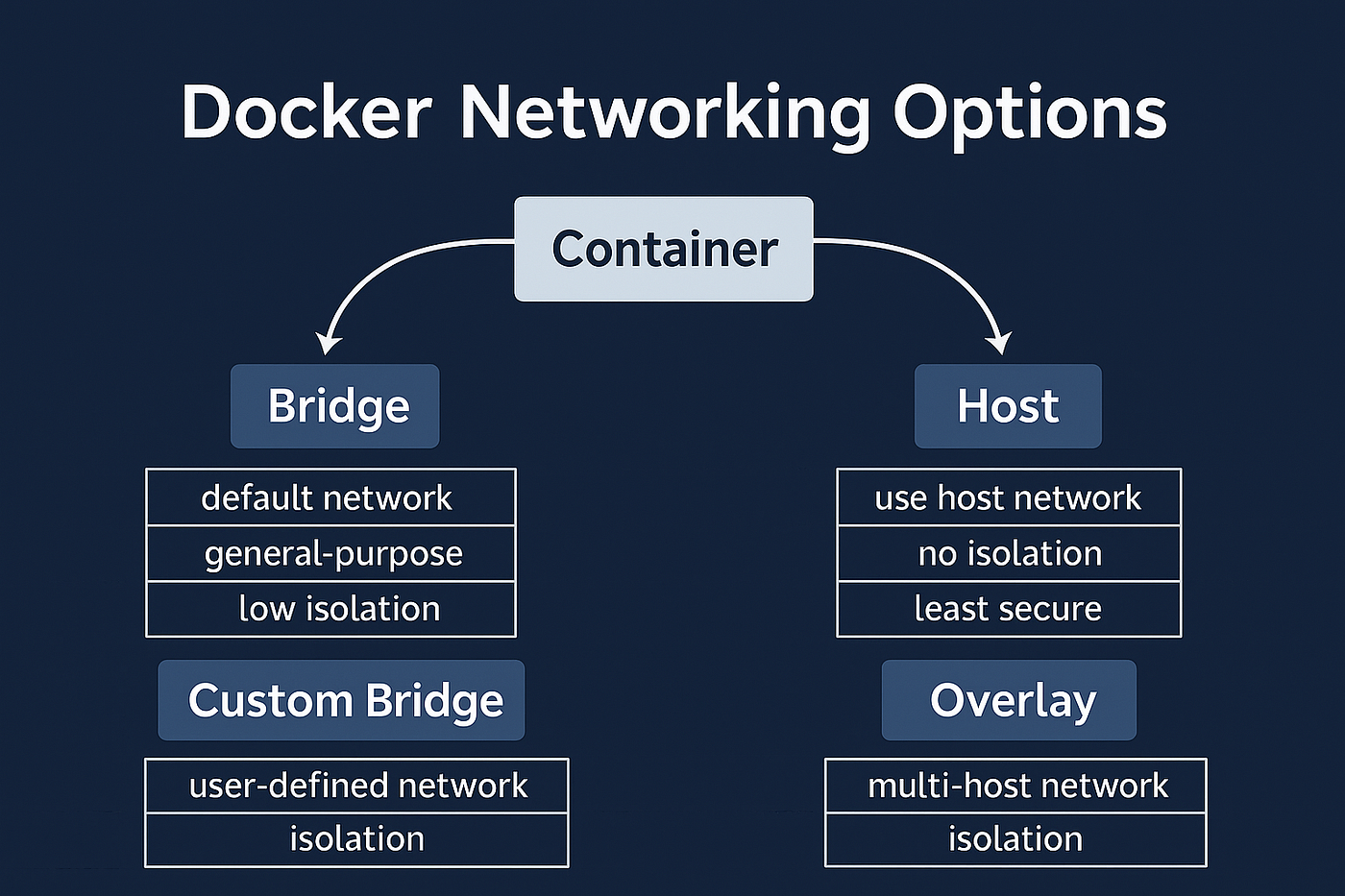
At first, I assumed exposing ports was enough.
It wasn’t.
Internal communication between containers works differently. Containers on the same network communicate using container names , not localhost.
Once I created custom networks and attached services to them properly, communication became predictable.
Before that, debugging felt random.
Volumes: The Moment I Understood Containers Are Temporary
At first, I didn’t think much about data.
I ran my database container.
It worked.
I stopped it.
I removed it.
Then I started it again.
All the data was gone.
That’s when I understood something basic but important:
A container is temporary. When you delete it, everything inside it is deleted too.
Docker volumes fix this.
Instead of storing data inside the container, volumes store data outside it ,but still connected to it.
So even if the container stops or gets deleted, the data remains.
Once I started using volumes:
Restarting containers didn’t scare me
Database data stayed safe
The setup felt more stable
Before volumes, my multi-container setup felt fragile.
After volumes, it felt reliable.

Managing Containers & Resources
Another thing I didn’t consider initially was resource usage.
Containers share the host system.
If one consumes excessive memory or CPU, others are affected. Docker does not automatically prevent this unless limits are configured.
Key understanding:
Isolation does not mean independence from system resources.
Monitoring running containers and observing resource usage became necessary instead of optional.
Docker Compose: The Turning Point
Manually managing multiple containers quickly became messy.
Long commands.
Multiple flags.
Hard to recreate the setup consistently.
Docker Compose simplified everything.
Defining services declaratively made it easier to:
Start everything
Stop everything
Rebuild everything
everything just got solved with one command docker compose up -d
This was the moment Docker felt organized instead of chaotic.
Ending Thoughts
Docker felt easy when I was just running containers.
It became real when I started building multi-service setups and fixing problems.
I learned that:
Just because it runs doesn’t mean it’s efficient
Containers are temporary, data is not
Image size and structure matter
Small mistakes can grow in multi-tier apps
Docker isn’t complicated.
But using it properly takes attention.
Now I don’t just run containers.
I think about what I’m building.


